Empowering All Learners through Inclusive Tech Education
Bridging the Gap for Students with Learning Differences
About the Workshop
This workshop is designed to help educators teach technology to kids with learning differences, such as dyslexia or dysgraphia, who may find traditional coding methods challenging. The workshop will provide practical strategies and tools to make coding more accessible and engaging for these students. This aligns with course objectives related to offering strength-based, talent-focused education, analyzing students' strengths and challenges, and planning differentiated learning environments.
Aligned Course Objectives: 1, 3, 5, 6, 7, 9.
Session 1: Visual Programming Languages
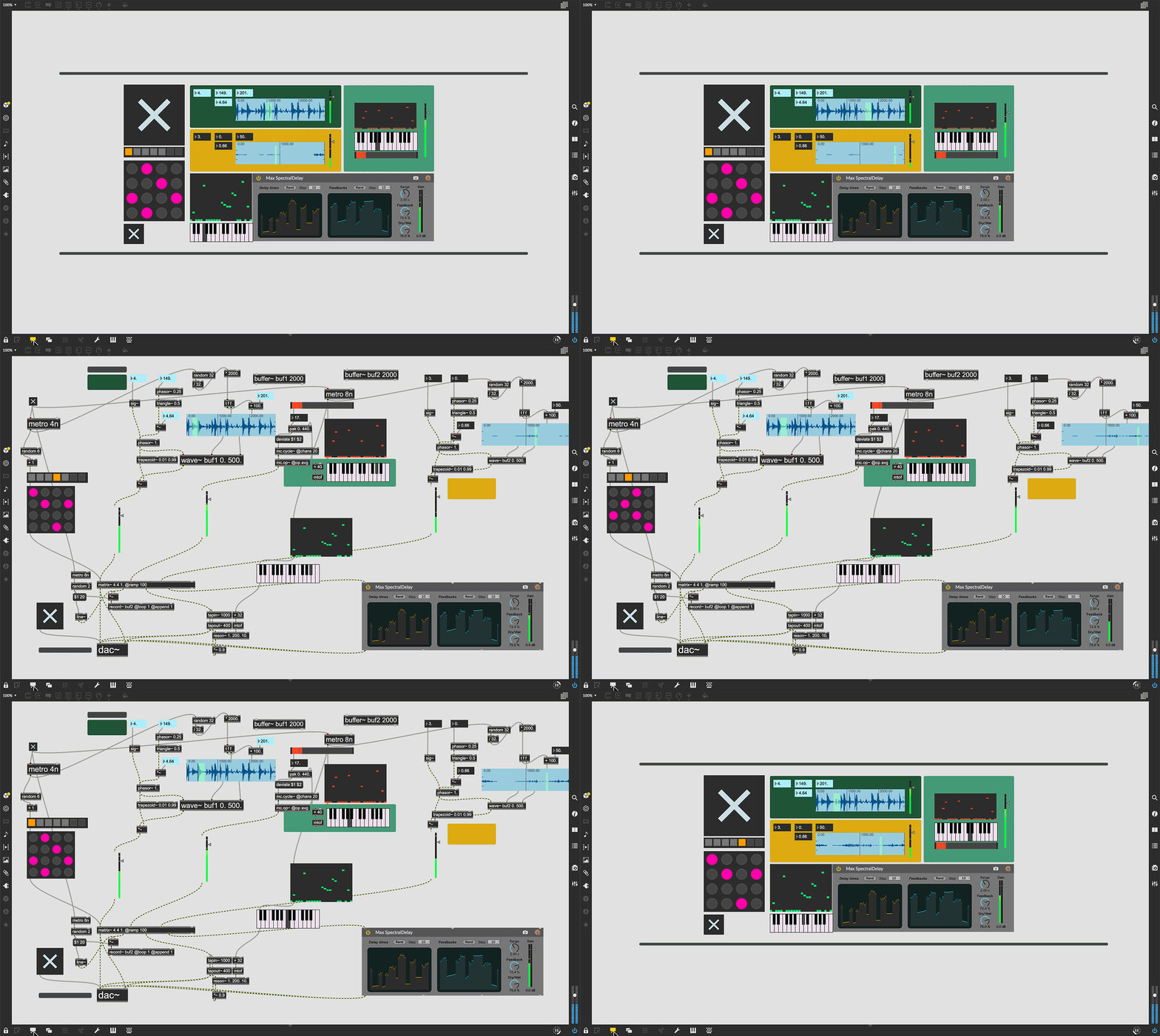
Visual programming languages like Scratch, Max MSP, and Isadora use graphical modules to simplify programming concepts, making it easier for learners with learning differences to grasp coding. This aligns with course objectives related to designing curriculum and instruction that leverage students' strengths to support weaknesses, and creating learning environments that meet students' intellectual needs.
These languages help students with dyslexia and dysgraphia by reducing the need for extensive text-based coding, allowing them to focus on the logical structure of their programs through visual elements. For example, Scratch uses blocks to represent different coding functions, making it easier for students to understand and manipulate code without being hindered by reading or writing difficulties.
Examples:
Scratch: Widely recognized for its accessibility and ease of use among children.
Max MSP: Used in professional fields, particularly in art and design.
Aligned Course Objectives: 2, 4, 5, 8.
Lesson Plan
Objective:
Understand the basics of visual programming languages and their benefits for students with learning differences.
Materials Needed:
Computer with internet access
Access to Scratch or other visual programming tools
Projector for presentations
Activities:
Introduction (30 minutes): Lecture on visual programming concepts and tools.
Interactive Tutorial (1 hour): Participants follow along with a Scratch tutorial, creating a simple project.
Group Activity (1 hour): Design and develop a simple game using Scratch in groups.
Quiz (30 minutes): Quiz on visual programming concepts to reinforce learning.
Quiz: Visual Programming Concepts
Discussion: Benefits of Visual Programming for 2e Students
Join the discussion below to share your thoughts and experiences on how visual programming languages can benefit students with learning differences.
Session 2: Speech-to-Code Technology
Speech-to-code technology allows students to code by speaking instead of typing, providing a more intuitive interface for those with learning differences. This section aligns with course objectives related to creating emotionally safe classrooms, applying the Bridges’ Four Pillar Instructional Model, and using authentic learning to develop 21st-century skills.
This technology can benefit students who have difficulty with typing due to dysgraphia or other motor skill challenges. By allowing students to speak their code, speech-to-code technology makes programming more accessible and reduces frustration associated with traditional coding methods.
Examples:
GitHub's projects focusing on accessibility features.
Closed captioning, initially for the hearing impaired, now widely used in public spaces.
Aligned Course Objectives: 1, 4, 6, 9.
Lesson Plan
Objective:
Understand the basics of speech-to-code technology and its benefits for students with learning differences.
Materials Needed:
Computer with internet access
Speech-to-code software
Microphone
Activities:
Introduction (30 minutes): Lecture on speech-to-code concepts and tools.
Interactive Tutorial (1 hour): Participants follow along with a speech-to-code tutorial, creating a simple project.
Group Activity (1 hour): Use speech-to-code technology to develop a simple application in groups.
Poll (30 minutes): Poll on the perceived benefits and challenges of speech-to-code technology.
Poll: Speech-to-Code Technology
Discussion: Implementing Speech-to-Code in the Classroom
Join the discussion below to share your thoughts and experiences on how to implement speech-to-code technology in the classroom effectively.
Session 3: Collaborative Projects
Encouraging collaborative projects in a diverse classroom leverages students' strengths, creating an inclusive learning environment. This aligns with course objectives related to designing curriculum and instruction to develop strengths, creating learning environments that meet students' intellectual needs, and using authentic learning to help students develop 21st-century skills.
In a tech project, students can take on different roles based on their strengths. For example, a student with artistic talent might focus on designing the user interface, while another student who excels in coding can handle the back-end development. This approach ensures that each student's abilities are utilized, making the project more inclusive and reflective of real-world tech industry practices.
Examples:
UI/UX design contributions from artistically inclined students.
Back-end development by students excelling in coding.
Visual programming languages like Scratch enable students to work at a higher abstraction level, mirroring real-world tech industry practices.
Aligned Course Objectives: 3, 5, 7, 8.
Lesson Plan
Objective:
Understand the importance of collaborative projects and how to implement them in the classroom.
Materials Needed:
Computer with internet access
Visual programming tools (e.g., Scratch)
Project management software
Activities:
Introduction (30 minutes): Lecture on the importance of collaboration in tech projects.
Workshop (1 hour): Participants create a collaborative project plan.
Role-Playing Activity (1 hour): Simulate different team roles in a tech project.
Quiz (30 minutes): Quiz on collaboration strategies.
Activity: Role-Playing Team Roles
In this activity, participants will role-play different team roles in a tech project. Each group will be assigned a project and roles such as Project Manager, Developer, Designer, and Tester. The goal is to simulate a real-world tech project and understand the importance of collaboration.
Quiz: Collaborative Project Strategies
Discussion: Strategies for Successful Collaboration
Join the discussion below to share your thoughts and experiences on effective collaboration strategies in tech projects.
Workshop Schedule
This workshop spans 10 hours, divided into four sessions with engaging activities and hands-on practice:
Session 1: Introduction to Visual Programming Languages (2.5 hours)
Lecture on visual programming concepts and tools (30 minutes)
Interactive Scratch tutorial and project creation (1 hour)
Group activity: Designing a simple game using Scratch (1 hour)
Lecture on the importance of collaboration in tech projects (30 minutes)
Workshop: Creating a collaborative project plan (1 hour)
Activity: Role-playing different team roles in a tech project (1 hour)
Quiz on collaboration strategies (30 minutes)
Session 4: Implementation and Support (2.5 hours)
Strategies for implementing inclusive tech education in the classroom (30 minutes)
Case studies: Successful implementation examples (30 minutes)
Interactive Q&A: Addressing participants' questions and challenges (1.5 hours)
Feedback form to gather participants' opinions and suggestions (30 minutes)
Resources
Implementing inclusive strategies effectively requires professional development for educators on using visual programming languages and other accessible tools. This aligns with course objectives related to designing curriculum and instruction to allow for the development of strengths, interests, and talents, and creating learning environments that meet students' intellectual needs.
Examples:
Professional development programs for teachers.
Investment in technology and resources to support these initiatives.
Downloadable lesson plans and templates.
Links to relevant articles, research papers, and books.
Creating an inclusive computer science education helps students with learning differences build confidence, develop critical skills, and discover their place in the tech industry.
Aligned Course Objectives: 2, 3, 4, 9.
Testimonials and Success Stories
Read what educators and students have to say about the workshop:
"This workshop transformed the way I teach coding to my students. The hands-on activities and practical strategies were incredibly valuable." - Anonymous, Educator
"I never thought I could understand coding, but the visual programming session made it so easy and fun!" - Anonymous, Student
"The collaborative projects taught me the importance of teamwork in tech. I feel more confident in my abilities now." - Anonymous, Student